
All users have the ability to create new patients with customized patient data. This is helpful in order to properly demonstrate good candidates, bad candidates, disqualified candidates or enrolled patients.
Click the "New" tab on the top toolbar.
Dummy data will automatically load, but every field can be edited.
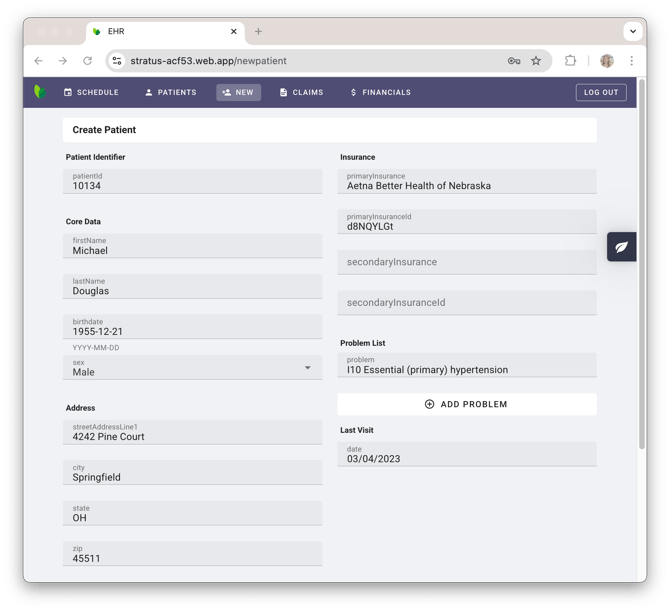
Important considerations:
- Consider your program's inclusion and exclusion criteria when creating patients.
- If you want to trigger a "good candidate", create a patient with data that meets your inclusion criteria.
- If you want to trigger a "bad candidate", create a patient does not meet your inclusion criteria.
- For programs that require strict exclusion criteria, you can create patients to trigger a disqualified panel that will not allow those patients to be referred.
- By referring a patient in the demo EHR, it creates a new patient in your patient database (i.e. Tellescope, Zoho, Hubspot, etc). In your patient database, you can modify the patient status to "enrolled" in order to demonstrate an example of an enrolled patient.