
Problem
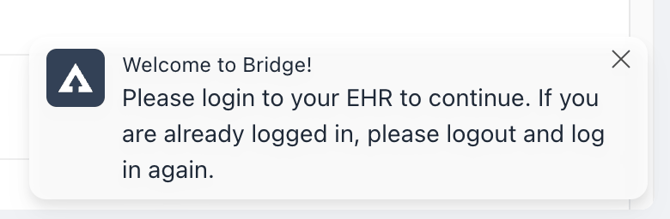
The user may see a notification card that displays the following: “Welcome to Bridge! Please login to your EHR to continue. If you are already logged in, please logout and in again. This notification will appear if Bridge was not active on the initial log in screen.
Description
Resolution Steps
Log in and out of the EHR
Bridge must be active on the login screen of the EHR to correctly initiate a session.
-
Log out of the EHR and log in again.
Verify that Bridge is running on the Login Screen
Bridge only runs on authorized URLs and should be running on the login screen of the application. If the URL of the login screen has changed it may cause Bridge to not run.
-
Navigate to the login screen of the EHR.
-
In the lower right and corner, verify that the Bridge watermark is displayed.
-
If the watermark is not displayed, please make note of the name of the EHR and the URL of the login page.
🔍 Most common culprit
Infrequently this error occurs on first install if the user is already logged into a window in the EHR before Bridge was installed. Typically logging out of the EHR and back in will clear the issue.